
Vadim's Clicker
A mouse automation app, controlled by keyboard hotkeys.
Created by the request of Vadim.
Download for Windows
You can download an executable from the project's website.
Features
Autoclicker
Click LMB untill prompted to stop.
Autoholder
Press and hold LMB until released (either by a manual click, or by an automatic click)
Usage
You can turn on and off any mouse automation feature by pressing a key on your keyboard.
By default, it's:
f7for autoclicker,f8for mouse holder.
Customizing hotkeys
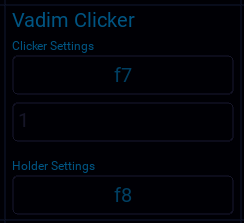
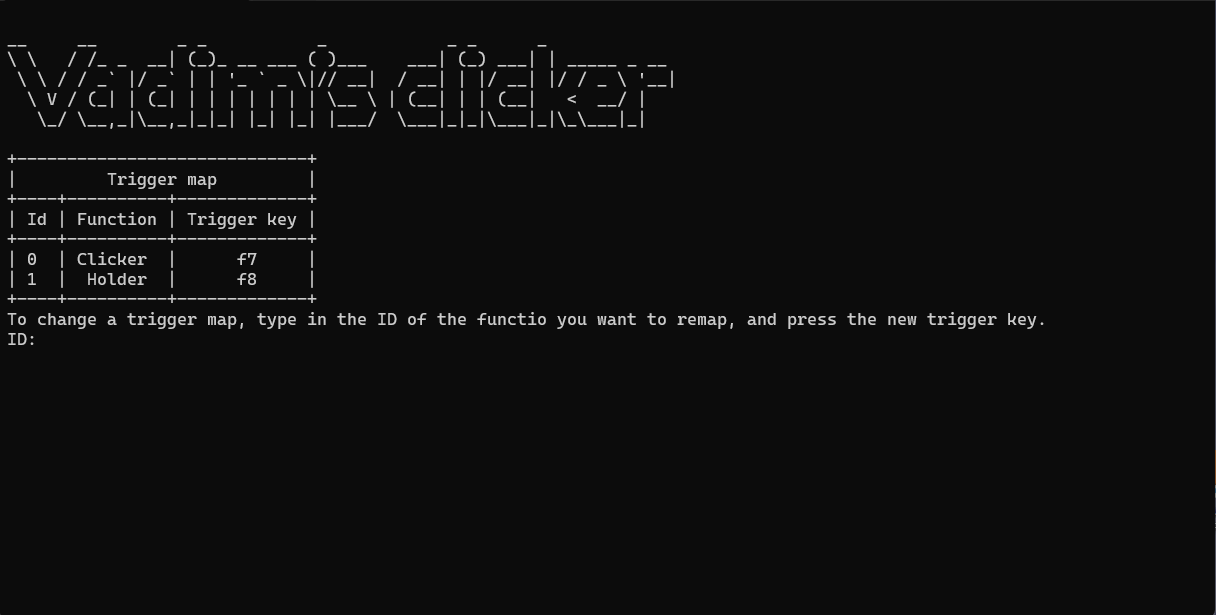
If you don't like the default hotkeys, you can choose between two ways to change your hotkeys on the fly.
A simple GUI
A light TUI
Build from source
1. Clone the repository
git clone https://github.com/prytlubomir/vadim-clicker
2. Open the directory
cd vadim-clicker
3. Set up the environment
uv sync
Build
uv run build.py
Feature ideas
- Hotkey for preset
- Multiple hotkeys for one action
- Different settings for each hotkey
- Preset list menu
- Preset name field